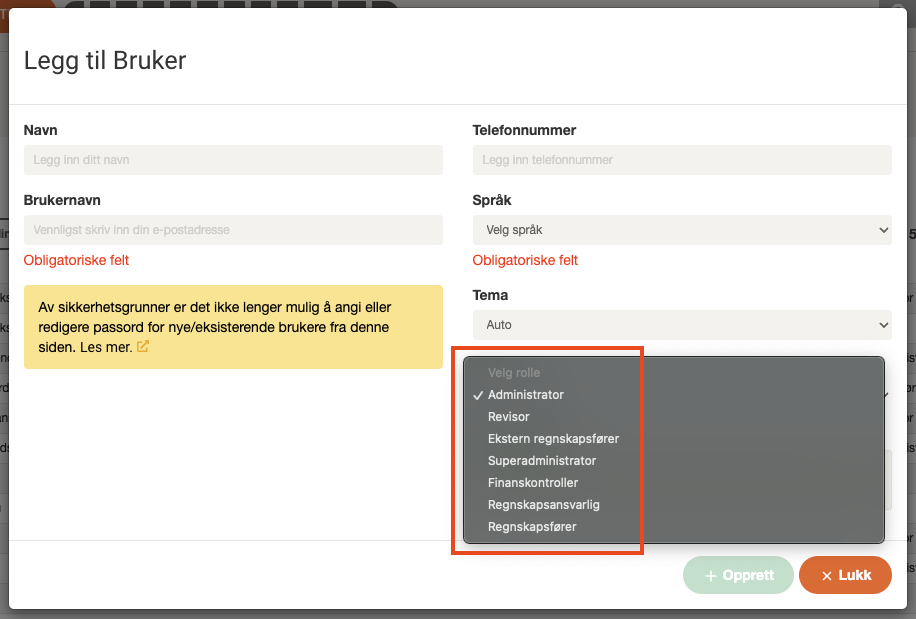
💡 User roles are assigned when creating new users, and can be changed later by admin/super admin if needed.
Super Administrator
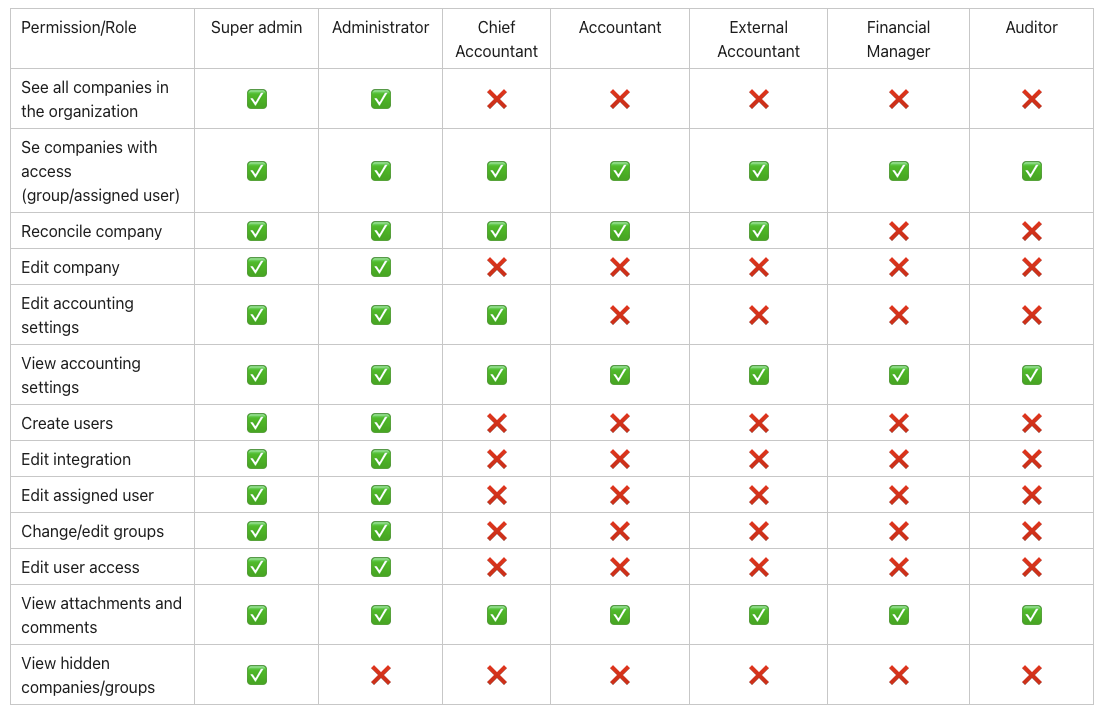
- Has full access to all companies, groups, and users in the organization.
- Can view and edit hidden companies and company groups, even without being added.
- Has override rights regardless of group and company settings.
Admin
- Can reconcile all companies they have access to, either as the assigned user or via company groups.
- Can add and edit companies and users.
- Can change assigned user and integration on companies they have access to.
- Can edit organization settings (e.g. Altinn setup).
- Can navigate freely between groups in the organization.
- Can create and edit groups – both their own and those of others.
- Can change user access for all groups, not just their own.
- Can see all companies in the company overview, but only make changes in companies they have access to.
Chief Accountant
- Can reconcile companies if they are set as the assigned user, or if they have access via a company group.
- Can edit accounting settings such as chart of accounts, bank, payroll, and VAT for companies they have access to.
- Cannot change integration or assigned user.
Accountant
- Can reconcile companies if they are set as the assigned user, or if they have access via a company group.
- Can view, but not edit, company settings for companies they have access to.
- Cannot change integration or responsible user.
External Accountant
- Has the same rights as the Accountant role.
- Applies to users who are not part of any organization in Accountflow (e.g. external partners).
Auditor
- Read-only access to companies and company groups they are added to.
- Cannot reconcile.
- Can view attachments and read comments (except status comments in the account overview).
Financial Manager
- Has the same read-only access as the Auditor.
- Cannot reconcile or make changes.
- Role intended for end-customer users (e.g. the accounting firm’s client).
Overview of roles and permissions