Step by step: Switch company
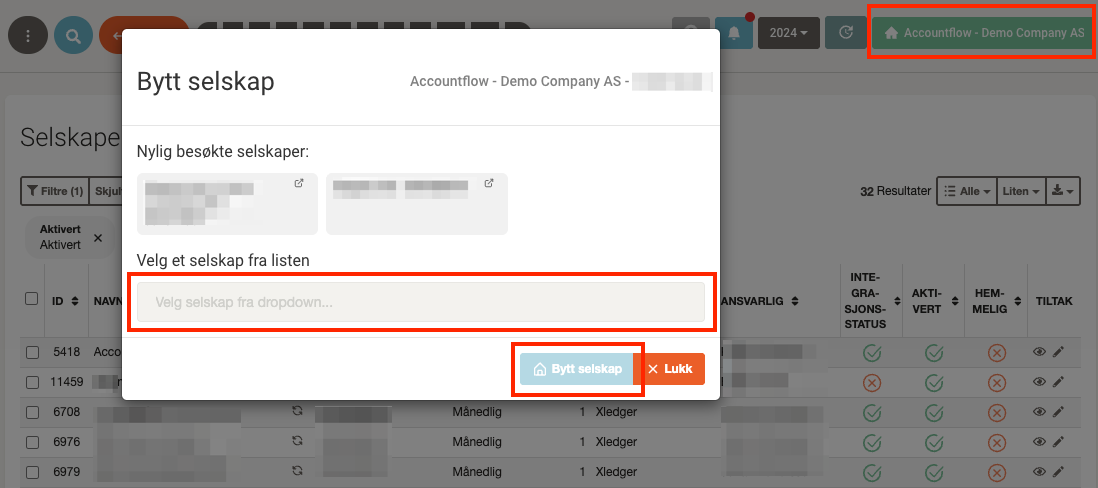
1. Click the company selector
- It is the green button with the company name and the Home icon, located at the top right.
2. Search for or select a company
- Enter the company name in the search field or choose from the list of companies.
- You can also select from recently visited companies that appear at the top of the window.
3. Click "Switch company"
- Once you have selected the correct company, click Switch company.
- You have now switched to the selected company.