Step by step: Retrieve VAT returns
1. Go to VAT
- Click VAT under Reconciliation in the menu on the left.
- There are two ways to retrieve and view VAT returns: Through the Report tab or the Year Overview tab.
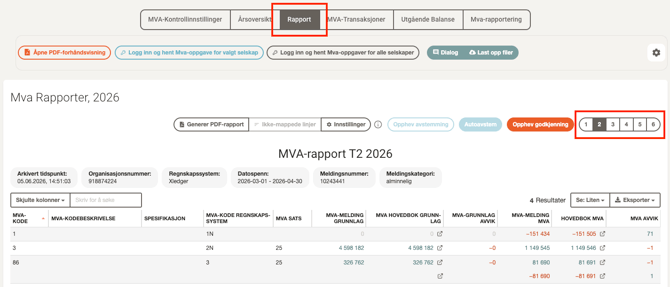
2A. Go to Report
- Select the Report tab at the top of the page.
- Choose the period you want in the period selector on the right hand side.
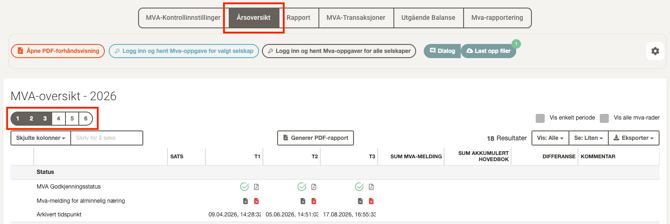
2B. Go to Year Overview
- Select the Year Overview tab.
- Choose the period you want in the period selector on the right hand side.
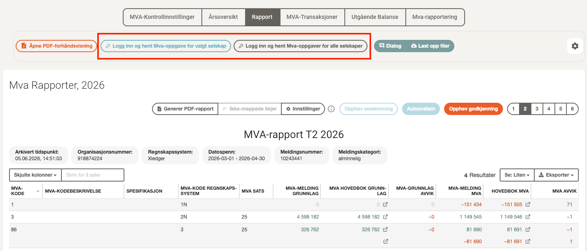
3. Log in and fetch VAT returns
- Click Fetch VAT report for selected company to fetch for the company you're currently in, or Fetch VAT reports for all companies to fetch for several companies at once.
- Log in with ID-porten (MinID, BankID, or similar).
- Accept the access request from Accountflow in the ID-porten window that appears.
- The VAT returns are automatically fetched from Altinn to Accountflow.
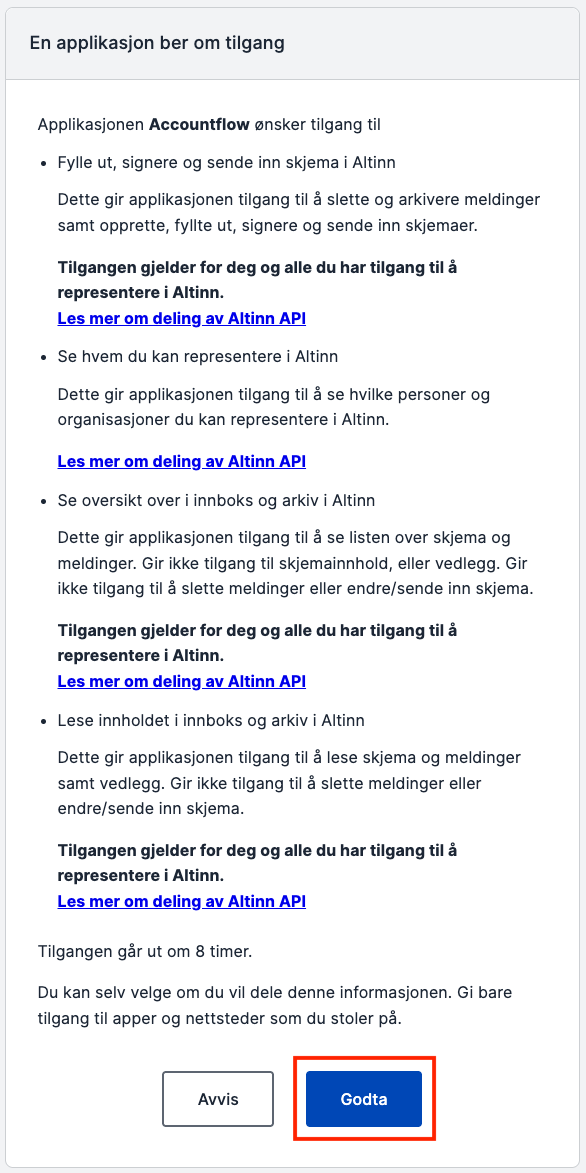
💡 The connection lasts for a 60-minute session. You'll need to log in again the next time you fetch returns.
4. View VAT return
- In the Report tab, you will now see data from the VAT return for the selected period in table form.
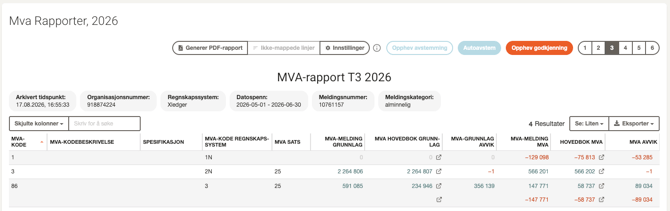
- In the Year Overview tab, you can view complete data from VAT returns for multiple periods.
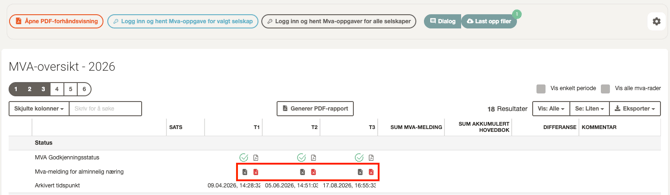
- You can also download VAT returns for different periods:
- Click the grey file icon to download as .xml.
- Click the red file icon to download as PDF.