
Step-by-step: Fetch for one company
1. Go to Payroll
- Go to Payroll under Reconciliation in the left-hand menu.
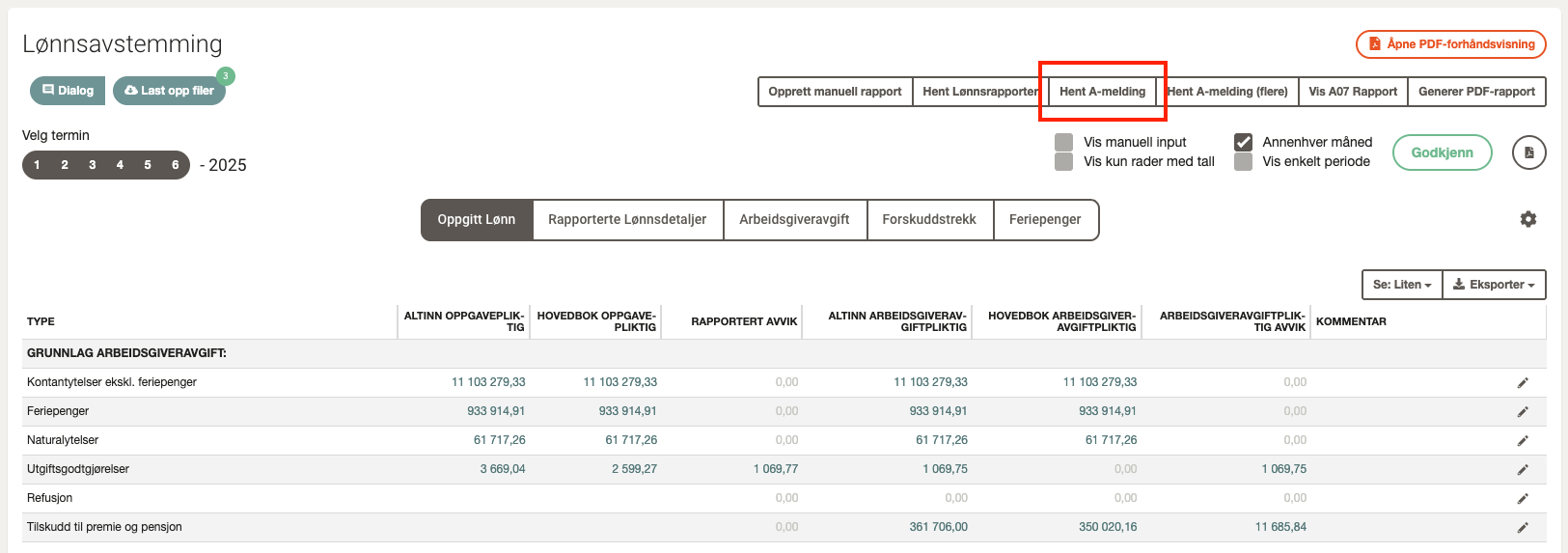
2. Open Fetch A-melding
- Click Fetch A-melding in the top right corner.
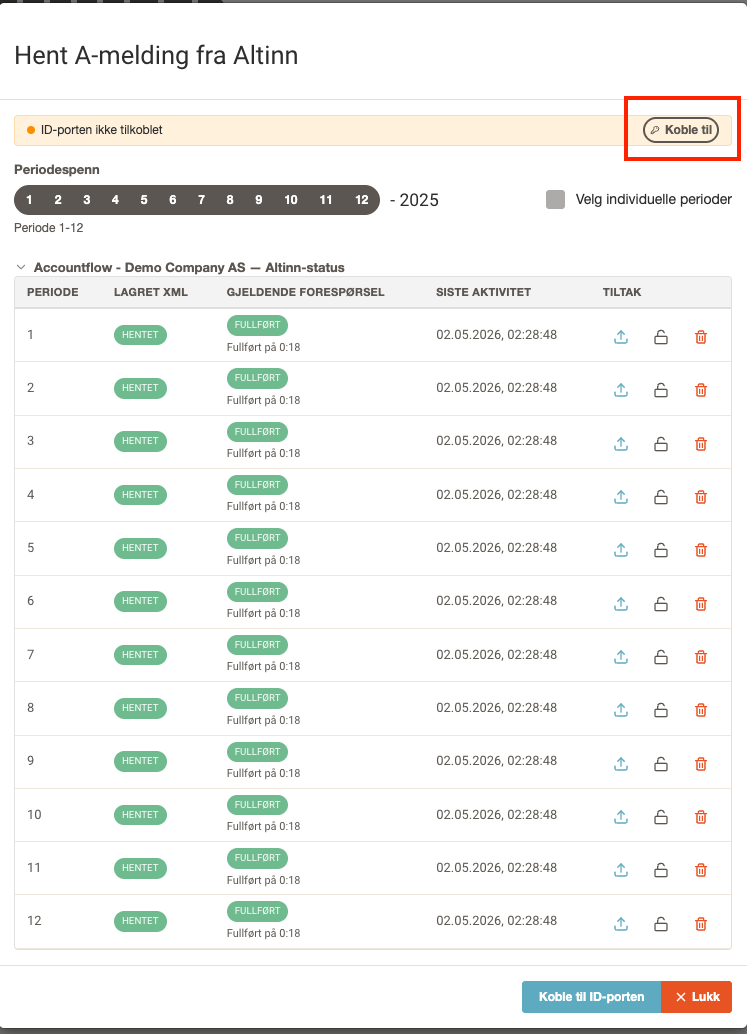
3. Connect to ID-porten
- If you are not yet connected to ID-porten, you will see an orange status bar at the top of the window.
- Click Connect and log in with BankID or another approved method.
- Approve the access request from Accountflow in the ID-porten window that appears.
4. Select periods
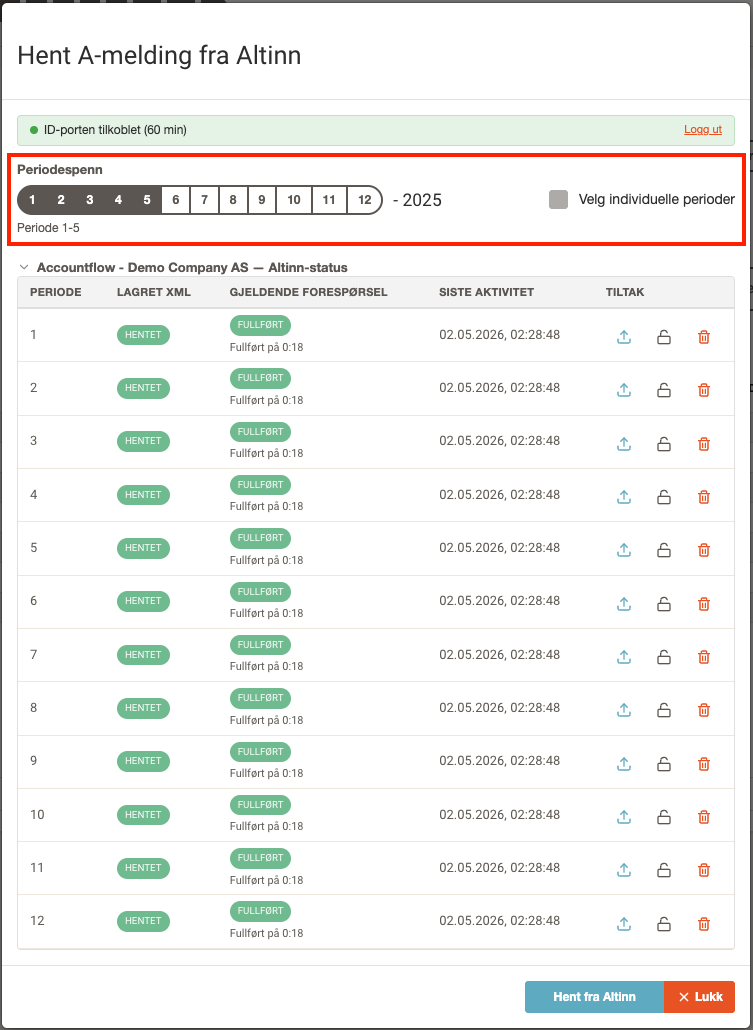
- Select which periods you want to fetch reports for using the period selector.
- You can also check Select individual periods to choose specific periods.
5. Fetch from Altinn
- Click Fetch from Altinn.
- The status for each period updates when the fetch is complete or if it fails.
6. View and manage reports
- Use the icons in the Actions column to download the report, lock the A07 period, or delete the report.
- Close the window and continue with payroll reconciliation. The A-melding data is now available in the system.
Step-by-step: Fetch for multiple companies
1. Go to Payroll
- Go to Payroll under Reconciliation in the left-hand menu.
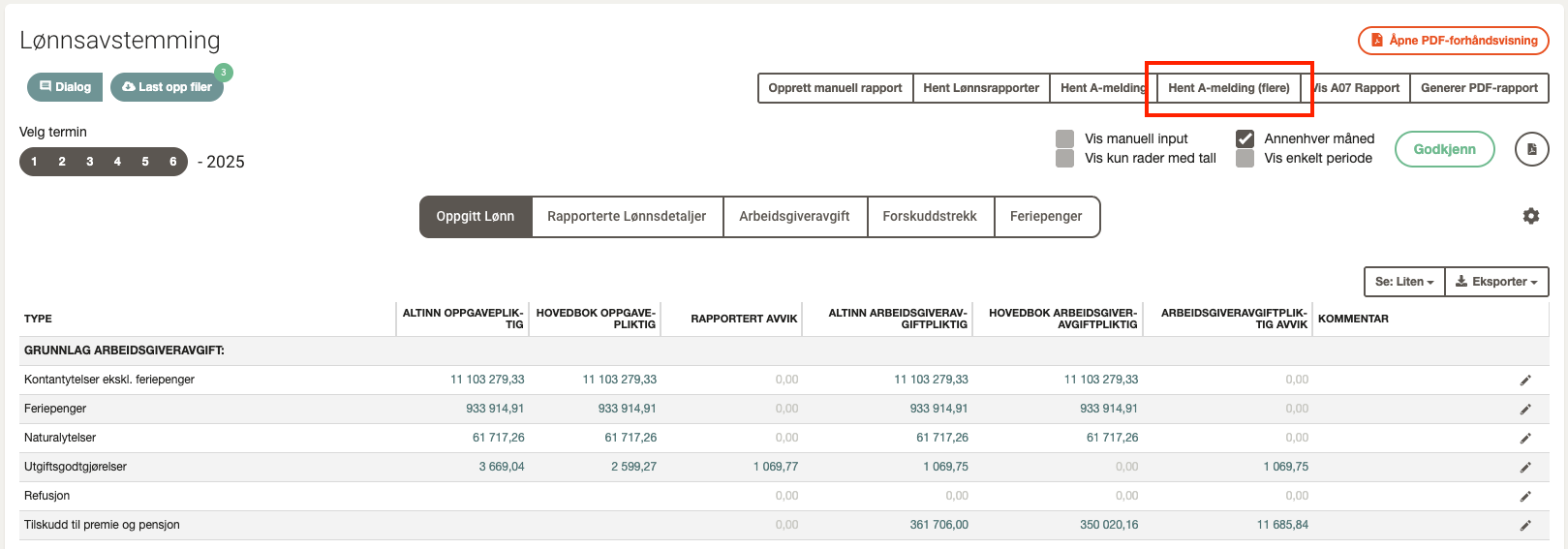
2. Open Fetch A-melding (multiple)
- Click Fetch A-melding (multiple) in the top right corner.
3. Connect to ID-porten
- Connect to ID-porten and select periods in the same way as described above.
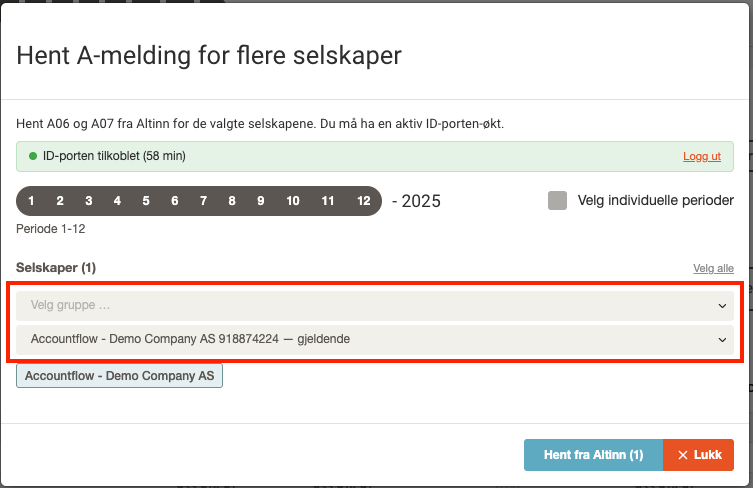
4. Select companies
- Add one or more company groups via the Add from group dropdown, or select individual companies from the Company dropdown.
- The number of selected companies is shown in the Fetch from Altinn button.
5. Fetch from Altinn
- Click Fetch from Altinn to start the fetch.
- From here, the process is the same as for one company.
💡 The ID-porten connection lasts for 60 minutes. You can log out manually by clicking Log out in the status bar.