Step by step: Change language
1. Go to Settings & Admin
- Click General in the menu on the left.
2. Open user administration
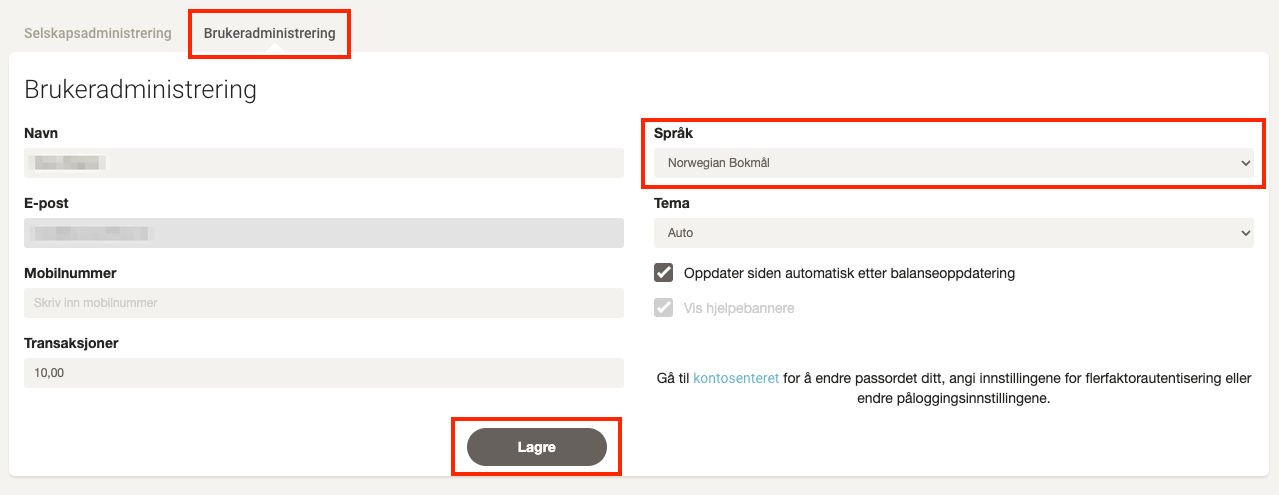
- Go to the User administration tab.
3. Change language and save
- Select the desired language from the dropdown menu.
- Click Save to apply the setting.